ℹ️ What will you do and learn in this chapter?
- Know if the flag causes errors or if it is being used
- Use & create Hooks
Observability & Hooks
What are hooks?
ℹ️ Hooks are a mechanism in OpenFeature that allow you to tap into the feature flag evaluation lifecycle. They let you execute custom code at specific points (stages) during a flag evaluation without modifying the core application logic.
The main stages where you can attach hooks are:
- Before: Executed before the flag evaluation. Useful for validation or enriching the evaluation context.
- After: Executed after a successful flag evaluation. Ideal for logging, observability, and telemetry (e.g., sending analytics events).
- Error: Executed if an error occurs during evaluation. Useful for custom error handling or alerting.
- Finally: Executed after all other stages, regardless of success or failure. Good for cleanup tasks.
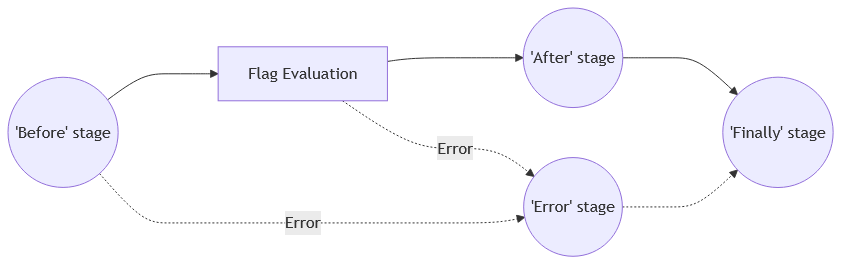
Hooks can be registered at different levels: globally, per-client, or for individual flag invocations.
Track errors in the API using Hooks
📝 Create a new file api/src/main/java/info/touret/musicstore/infrastructure/featureflag/openfeature/ErrorHandlerHook.java with the following content:
package info.touret.musicstore.infrastructure.featureflag.openfeature;

import dev.openfeature.sdk.BooleanHook;
import dev.openfeature.sdk.EvaluationContext;
import dev.openfeature.sdk.HookContext;
import org.slf4j.Logger;
import org.slf4j.LoggerFactory;

import java.util.Map;
import java.util.Optional;

public class ErrorHandlerHook implements BooleanHook {
    private static final Logger LOGGER = LoggerFactory.getLogger(ErrorHandlerHook.class);

    @Override
    public Optional<EvaluationContext> before(HookContext<Boolean> ctx, Map<String, Object> hints) {
        LOGGER.info(">>> Before evaluating boolean flag: {}", ctx.getFlagKey());
        return BooleanHook.super.before(ctx, hints);
    }

    @Override
    public void error(HookContext<Boolean> ctx, Exception error, Map<String, Object> hints) {
        LOGGER.error(">>> Unable to process this flag [{}]: {}",ctx.getFlagKey(),error.getMessage());
        BooleanHook.super.error(ctx, error, hints);
    }
}
📝 In the method getOpenFeatureAPIInstance() of the class OpenFeatureFactory, we will globally register this new hook:
@ApplicationScoped
@Produces
public OpenFeatureAPI getOpenFeatureAPIInstance() {
    var openFeatureAPI = OpenFeatureAPI.getInstance();
    openFeatureAPI.addHooks(new ErrorHandlerHook());
    openFeatureAPI.setProviderAndWait(createProvider());
    return openFeatureAPI;
}
📝 To simulate an error, we will also comment the declaration of the targetingKey in the method applyDiscount() of the class DiscountAdapter:
openFeatureAPIClient.setEvaluationContext(new MutableContext()
                .add("clientCountry", user.country())
//                .add("targetingKey", user.email())
                .add("clientEmail", user.email()));
🛠️ If necessary, restart Quarkus:
./mvnw quarkus:dev
🛠️ Run in another terminal this command:
http :8080/instruments User:'{"firstName":"test","lastName":"user1","email":"user11@musician.com","country":"UK"}' accept:"application/json"
👀 You should see these log entries on your console:
2026-05-05 11:15:37,187 INFO  [info.touret.musicstore.infrastructure.featureflag.openfeature.ErrorHandlerHook] (quarkus-virtual-thread-0) >>> Before evaluating boolean flag: discount-enabled
2026-05-05 11:15:37,187 ERROR [info.touret.musicstore.infrastructure.featureflag.openfeature.ErrorHandlerHook] (quarkus-virtual-thread-0) >>> Unable to process this flag [discount-enabled]: GO Feature Flag requires a targeting key
📝 Finally, restore the declaration of the targetingKey in the method applyDiscount() of the class DiscountAdapter:
openFeatureAPIClient.setEvaluationContext(new MutableContext()
                .add("clientCountry", user.country())
                .add("targetingKey", user.email())
                .add("clientEmail", user.email()));
Use the OpenTelemetry Hook
Analysing the whole feature-flag's process could be tricky. Let's see how OpenTelemetry can help us.
If you want to know more about observability, feel free to check out this workshop.
Deploy Jaeger
We need first to add Jaeger to collect and get a GUI to navigate through traces.
📝 In the file api/src/main/docker/compose-devservices.yml, add the following lines:
  jaeger:
    image: jaegertracing/all-in-one:1.76.0
    ports:
      - "16686:16686"
      - "4317:4317"
      - "4318:4318"
      - "14250:14250"
      - "14268:14268"
      - "14269:14269"
      - "9411:9411"
    environment:
      - COLLECTOR_ZIPKIN_HOST_PORT=:9411
    depends_on:
      - go-feature-flag
Configure Go Feature Flag
📝 In the file api/src/main/docker/go-feature-flag/proxy.yaml, add the following configuration lines:
otel:
  exporter:
    otlp:
      endpoint: "http://jaeger:4318"
Add Quarkus's OpenTelemetry support
📝 In the pom.xml file, add the following dependencies:
<dependency>
    <groupId>io.quarkus</groupId>
    <artifactId>quarkus-opentelemetry</artifactId>
</dependency>
<dependency>
    <groupId>io.opentelemetry</groupId>
    <artifactId>opentelemetry-extension-trace-propagators</artifactId>
</dependency>
<dependency>
    <groupId>dev.openfeature.contrib.hooks</groupId>
    <artifactId>otel</artifactId>
    <version>3.3.1</version>
</dependency>
📝 In the api/src/main/resources/application.properties file, add the following configuration:
quarkus.application.name=music-store
quarkus.otel.exporter.otlp.endpoint=http://localhost:4317
quarkus.datasource.jdbc.telemetry=true
Add Traces Hook
📝 In the method getOpenFeatureAPIInstance() of the class OpenFeatureFactory, we will add the new hook and annotate the method with @WithSpan:
@ApplicationScoped
@Produces
@WithSpan
public OpenFeatureAPI getOpenFeatureAPIInstance() {
    var openFeatureAPI = OpenFeatureAPI.getInstance();
    openFeatureAPI.addHooks(new ErrorHandlerHook(), new TracesHook());
    openFeatureAPI.setProviderAndWait(createProvider());
    return openFeatureAPI;
}
Add the following import to the class:
import dev.openfeature.contrib.hooks.otel.TracesHook;
import io.opentelemetry.instrumentation.annotations.WithSpan;
Add custom spans
In order to better visualize traces in Jaeger, we can also add some manual spans in our code.
📝 In the class DiscountAdapter, create and inject a Tracer object:
@Inject
Tracer tracer;
📝 In the class DiscountAdapter, update the applyDiscount() method:
- Annotating it with
@WithSpan - Creating a new span to get OpenFeature insights
@WithSpan
@Override
public Result<Instrument> applyDiscount(Instrument instrument, User user) {
    Span discountEnabledspan = tracer.spanBuilder("openfeature-discount-enabled").startSpan();

    var openFeatureAPIClient = this.openFeatureAPI.getClient();
    openFeatureAPIClient.setEvaluationContext(new MutableContext()
            .add("clientCountry", user.country())
            .add("targetingKey", user.email())
            .add("clientEmail", user.email()));
    try (Scope ignored = discountEnabledspan.makeCurrent()) {
        var evaluationDetails = openFeatureAPIClient.getBooleanDetails("discount-enabled", false);

        LOGGER.info(evaluationDetails.toString());
        boolean isDiscountEnabled = evaluationDetails.getValue();
        if (isDiscountEnabled) {
            double originalPrice = instrument.price();
            double discountAmount = openFeatureAPIClient.getDoubleValue("discount-amount", 0.1);
            double discountedPrice = originalPrice * (1.0 - discountAmount);
            return Result.success(instrument.withDiscount(discountedPrice, originalPrice));
        }
        return Result.success(instrument);
    } finally {
        discountEnabledspan.end();
    }
}
Add then the following import:
import io.opentelemetry.api.trace.Span;
import io.opentelemetry.api.trace.Tracer;
import io.opentelemetry.instrumentation.annotations.WithSpan;
import io.opentelemetry.context.Scope;
import jakarta.inject.Inject;
🛠️ Restart Quarkus:
./mvnw quarkus:dev
Test
🛠️ Run again K6 to simulate some traffic. In a new terminal, run the following command:
cd infrastructure/scripts
k6 run k6-discount-enabled-test.js
👀 Go to the port screen, check out the 16686 port and click on it to open Jaeger.
You should see this screen:
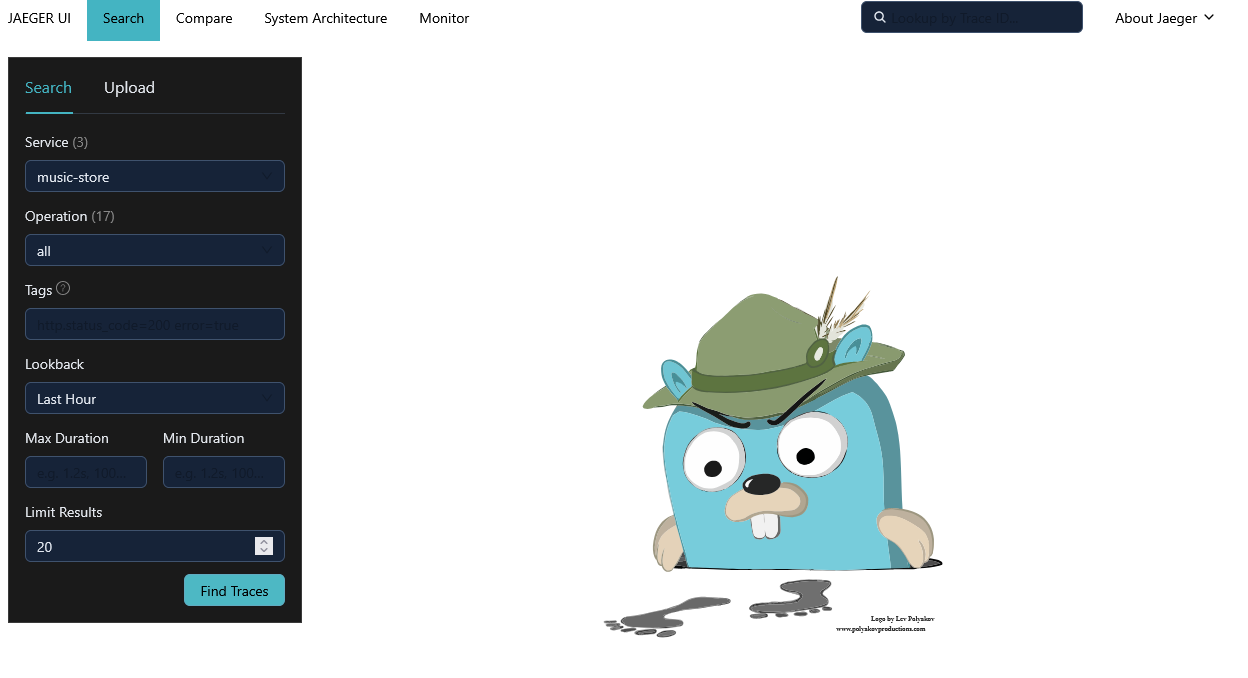
🛠️ Make some queries on the traces.
🛠️ Select the go-feature-flag service:
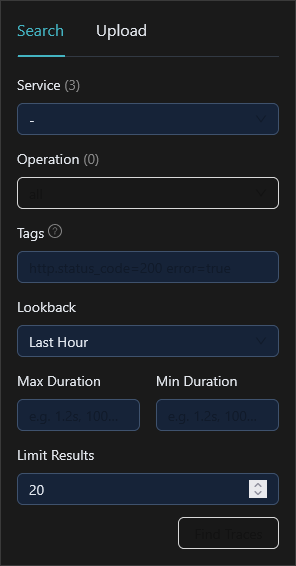
🛠️ Click on "Find Traces".
👀 You could see then the corresponding traces.
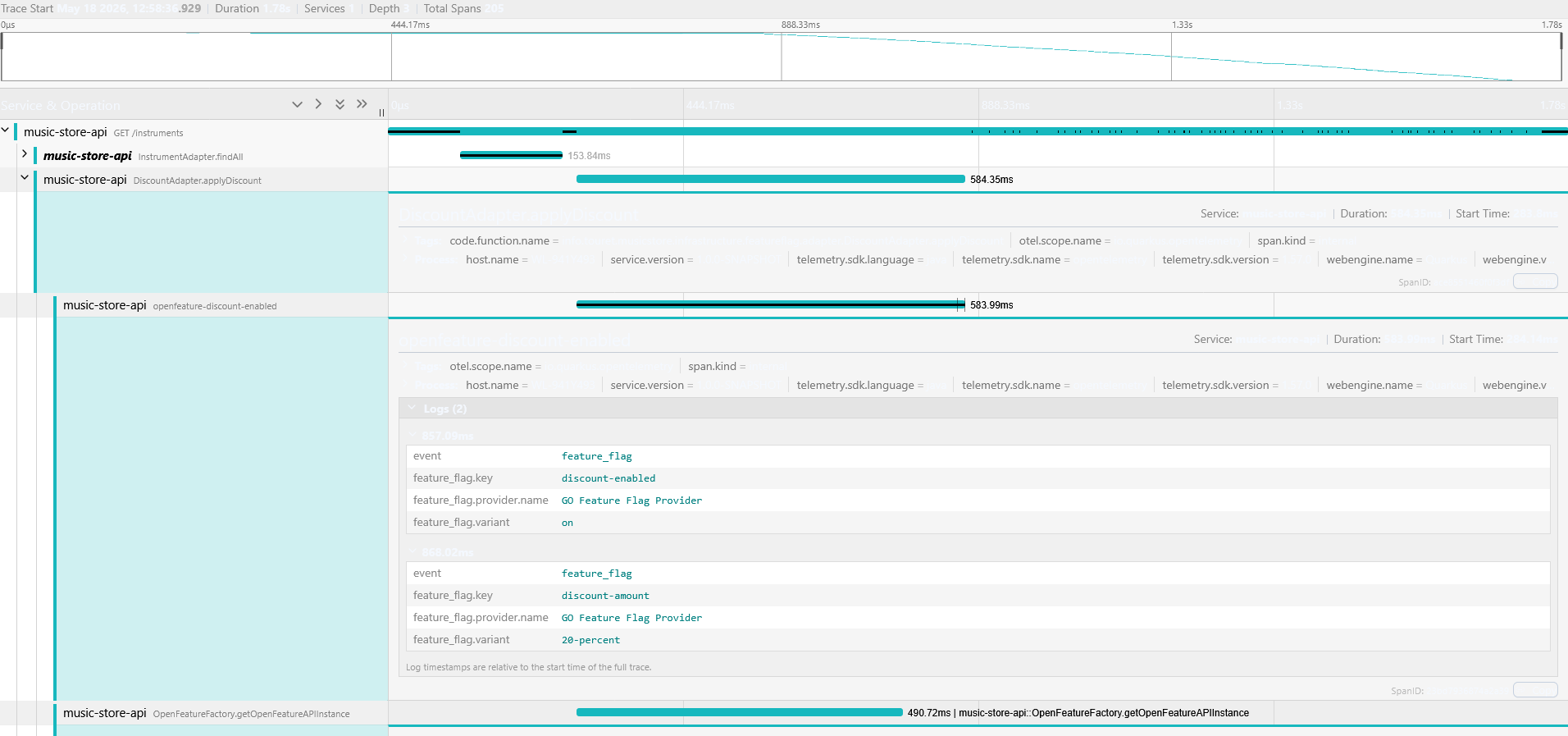
ℹ️ You don't see a whole transaction from Quarkus to Go Feature Flag because the configuration is not downloaded through an API call. It's due to the in-process evaluation we discussed earlier. The Java application (via the OpenFeature provider) polls the rules in the background and evaluates the flag locally in its own memory. Since no network call is made at the exact moment of flag evaluation, there is no direct HTTP request to trace between Quarkus and Go Feature Flag during the transaction.